
Platform: WordPress | Updates: Constant | License: GPL Verified
For your site security, we provide thoroughly vetted and clean code, free from any backdoors or malicious modifications. Enjoy an efficient and worry-free WordPress plugin deployment experience.
Flatsome: Responsive Multi-Purpose WooCommerce Theme
Flatsome is a high-performance, conversion-focused WordPress theme designed specifically for e-commerce retail and wholesale storefronts. Built around a proprietary live drag-and-drop layout engine, it automates mobile-responsive adjustments and structural rendering without external plugin dependencies.
Proprietary UX Builder & Design Assets
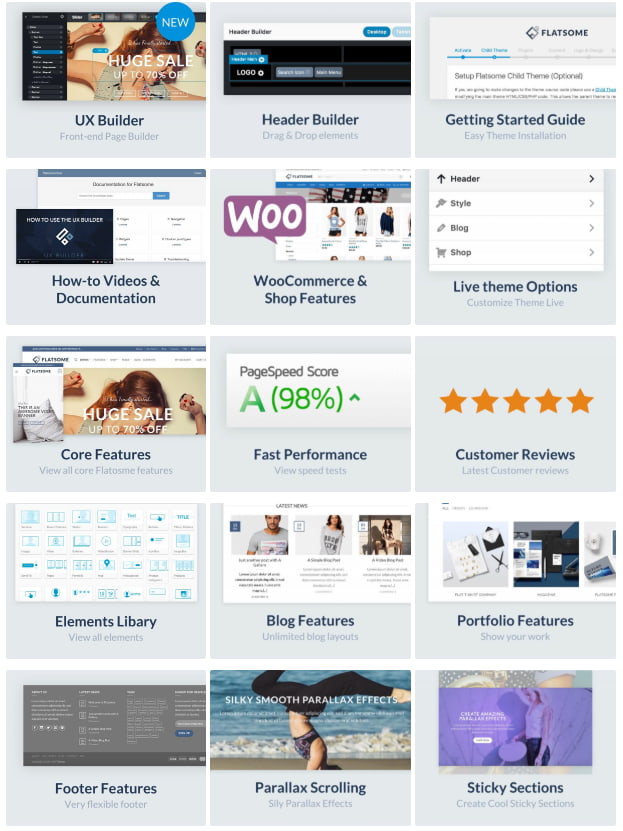
Live Drag-and-Drop Editor: Utilizing the native UX Builder, creators can assemble custom layouts, sliders, and banner grids directly from the front-end interface in real time.
Pre-Built Starter Content: Packaged with an automated demo content installer to instantly deploy structured section blocks and sample product grids.
Design File Inclusions: Comes bundled with layered PSD master files and asset components for offline branding pre-production.
E-Commerce Operations & Layout Configurations
Core WooCommerce Integration: Fully verified across WooCommerce core version matrices to ensure stable data array processing.
Catalog Mode Toggle: Built-in switch to disable cart and checkout functionalities instantly, converting the e-commerce storefront into a B2B wholesale or showcase catalog portal.
Technical Performance & Localization Standards
Core Core Alignment: Optimized to run seamlessly on modern WordPress environments. Includes a standalone child theme to safeguard custom functions and CSS rules during updates.
SEO & Browser Compatibility: Clean, semantic codebase built to Google SEO crawling standards with multi-browser parsing stability across Chrome, Safari, Firefox, and legacy systems.
Translation-Ready Architecture: Fully compatible with WPML frameworks and packaged with standard .po localization configuration arrays for international target audiences.
Lifecycle Value: Provides lifetime automated core updates via the theme administration dashboard.

Follow these technical steps to install the Flatsome theme, configure its core layout builder, and initialize your WooCommerce storefront configuration.
Prerequisites
WordPress Core: Ensure your site is updated to a stable release of WordPress.
PHP Parameters: Access your server’s php.ini file and adjust the allocations to memory_limit = 256M and max_execution_time = 180 to prevent script termination during the demo database deployment.
Step 1: Prepare the Installation Archive
Locate the downloaded theme folder on your local machine.
Extract the main archive if necessary to find the installable theme file named flatsome.zip. Do not unzip this file.
Step 2: Upload via WordPress Dashboard
Log in to your WordPress Admin Panel (/wp-admin).
Navigate to Appearance > Themes in the left sidebar.
Click Add New Theme at the top of the interface, then click Upload Theme.
Click Choose File, select the local flatsome.zip archive, and click Install Now.
Step 3: Activate the Theme & Launch Setup Wizard
Wait for the server upload and decompression processes to complete successfully.
Click the Activate link.
Upon activation, the interactive Flatsome Setup Wizard will launch automatically. Click Let’s Go to begin the automated onboarding sequence.
Step 4: License Activation & Child Theme Deployment
Paste your purchase code into the verification field within the wizard to unlock automated dashboard updates.
Proceed to the child theme step. The wizard will prompt you to create and activate a child theme automatically. Confirm this action to safeguard your future custom code modifications.
Step 5: Install Mandatory Plugins
The wizard will display the required plugin dependencies.
Allow the system to download and activate the core e-commerce engine, including WooCommerce, along with any optional recommended styling utilities.
Step 6: Execute Demo Content Import
Advance to the Demo Content tab within the wizard array.
Select your preferred pre-designed store demo configuration.
Click Import to inject structural layout grids, proprietary UX Builder elements, and sample product taxonomies into your database.