
3.1.9

15/06/2026

Savoy – Modern minimalist WooCommerce theme with integrated AJAX functionality

Platform: WordPress | Updates: Constant | License: GPL Verified

For your site security, we provide thoroughly vetted and clean code, free from any backdoors or malicious modifications. Enjoy an efficient and worry-free WordPress plugin deployment experience.

Savoy: Minimalist AJAX WooCommerce Theme

Savoy provides a modern, minimalist framework for WooCommerce storefronts, utilizing a native AJAX engine to deliver fluid user interactions across desktop and mobile viewports without external plugin dependencies.

Native AJAX E-Commerce Engine
Full AJAX Storefront: Enables seamless background processing for product searches (with instant suggestions), category sorting, attribute filtering, and cart quantity adjustments.

Advanced Product Showcases: Features adjustable 1-to-6 column layouts, variable grids, infinite scrolling, color swatches, and a dedicated slide-out side-cart panel.

Media & Performance Optimization: Integrates image lazy-loading, product quick-view modals, product video options, and full-screen galleries equipped with hover-zoom and pan mechanics.

Layout Architecture & Header Systems
Dynamic Headers & Menus: Configures sticky and transparent headers, multi-column dropdown mega menus, and alternative logo variations based on specific page visibility rules.

Flexible Blog Layouts: Supports grid, list, and standard blog architectures spanning 1-to-5 columns with optional pagination or infinite loading.

Touch-Enabled UI Components: Incorporates hardware-accelerated, touch-enabled sliders and asset galleries optimized for mobile responsiveness.

Customization, Performance & Bundled Utilities
Visual Builder Ecosystem: Native compatibility with Elementor and 40+ modular custom elements. Includes premium bundled licenses for WPBakery Page Builder (a $64 retail value) and Slider Revolution (an $85 retail value).

Core Typography & Styles: Seamless integration with over 1,000 Google Webfonts and Adobe Fonts, managed via an extensive theme options administrative panel.

Optimization Standards: Clean codebase built to modern SEO standards, fully compatible with enterprise-level caching plugins, and packaged with a setup wizard and starter child theme.
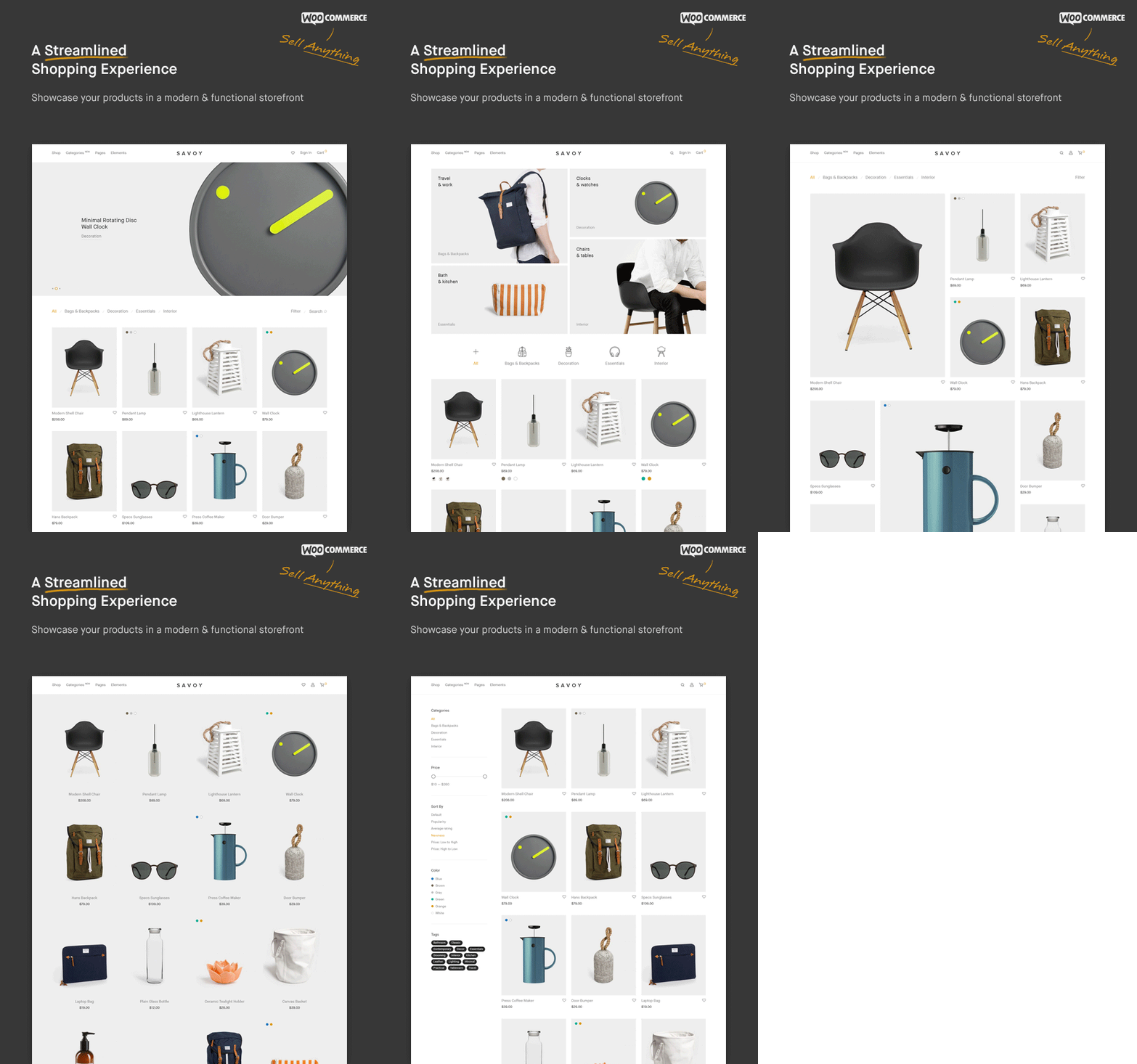
68747470733a2f2f7361766f792e6e6f726469636d6164652e636f6d2f6173736574732f7468656d65666f726573742d70726573656e746174696f6e2f76332f73686f702d322e676966

Follow these steps to deploy the Savoy theme, install its core dependencies, and configure your WooCommerce storefront layout.

Prerequisites
Environment: Ensure your server runs a stable release of WordPress and WooCommerce.

PHP Parameters: Set memory_limit = 256M and max_execution_time = 180 within your server’s php.ini file to handle AJAX database arrays and demo content generation.

Step 1: Upload the Theme Package
Extract your main download file locally to locate the installable savoy.zip archive.

Log in to your WordPress Dashboard (/wp-admin).

Navigate to Appearance > Themes in the left administrative sidebar.

Click Add New Theme, then click Upload Theme.

Select savoy.zip from your local machine and click Install Now.

Step 2: Theme Activation & Setup Wizard
Once the file upload completes, click Activate.

The system will automatically launch the Savoy Setup Wizard. Click Let’s Go to begin the automated onboarding sequence.

Step 3: Core Plugin Dependencies
The wizard will prompt you to install required core assets.

Select and install the mandatory Savoy Core plugin along with WooCommerce.

(Optional) Select your preferred page builder ecosystem (Elementor or the bundled WPBakery Page Builder) and click Install.

Step 4: Run One-Click Demo Import
Proceed to the Demo Content section within the setup wizard (or navigate to Savoy > Demo Importer from the admin sidebar).

Click the Import button to deploy the minimalist layout arrays, global product filtering settings, and sample media assets.

Step 5: Child Theme Deployment (Optional)
If you plan to customize the underlying PHP templates or write custom hooks, navigate back to Appearance > Themes.

Upload and activate the savoy-child.zip file included in your master download package to protect your custom code during future theme updates.